

An AI tool can enter a business workflow before anyone adds it to a central register. By the time a privacy review begins, teams may be unsure who owns it, what data it uses, or whether the record is still accurate.
An ai system inventory template gives you a practical starting point. For GDPR work, each entry should connect the system to its purpose, accountable owner, and personal data processing. The register can sit alongside your record of processing activities, with enough system-level detail to make the relationship clear.
Knowing an inventory is needed is one thing. Choosing useful fields and keeping them current is harder, especially when tools, owners, and data flows change. This guide sets out a register structure your team can copy, a repeatable way to assign ownership and review changes, and a method for linking AI systems to the personal data they handle.
Once workflows are documented, data discovery can help examine where sensitive data sits on endpoints linked to those workflows. It complements the inventory. It does not identify AI systems or prove GDPR compliance on its own.
Key Takeaways
- Use an ai system inventory template to record each system's purpose, owner, data inputs, and review date.
- Group register fields by system identity, business use, responsible people, data, suppliers, and review history.
- Link each AI system to the relevant record of processing activities instead of copying the full record into the inventory.
- Assign an owner to gather details and update the entry when the system, supplier, integration, or data flow changes.
- Use endpoint data discovery to examine sensitive data locations linked to documented AI workflows. It complements the inventory, but does not identify AI systems.
What an AI system inventory template records for GDPR work
AI tools can appear inside software teams already use or enter through a team purchase. A general software asset list may record the product and licence. For privacy work, that leaves key questions unanswered: what is the tool used for, who is responsible for it, and what data moves into or out of it?
An AI system inventory is a maintained record of AI systems in use, their purposes, accountable owners, and relevant data flows. It gives teams one place to check which systems support business processes and who can explain how each one is used. An ai system inventory template helps make that record consistent across teams.
The General Data Protection Regulation (GDPR) provides an overview of the framework behind personal-data protection. An inventory can support GDPR work by making AI use and possible links to personal data easier to review. It does not establish compliance, make legal decisions, or replace legal review. For broader personal-data context, see this GDPR guide.
Which tools belong in the register?
Set a written inclusion rule before collecting entries. Include AI systems used or procured by teams, and consider AI features embedded in existing services where they affect a business process or handle relevant data. Apply the rule consistently so similar tools do not receive different treatment simply because one was bought centrally and another by a department.
Record the work the system supports as well as its product name. For example, an entry might describe an AI feature used by the recruitment team to summarise applications. That context helps a reviewer understand the use and identify the team that can answer questions. A name alone rarely gives enough detail.
What the template can and cannot establish
A register is an organised view of AI use. It can point reviewers towards systems, responsible people, and potential data flows. It cannot determine on its own whether a particular use meets GDPR requirements. That assessment depends on the facts of the processing and the organisation's circumstances.
Keep system-level information separate from details about specific processing activities. The inventory can describe a system's purpose, owner, and data inputs, then refer to the relevant record of processing activities (ROPA). The ROPA documents processing activities. A reference, such as a record name or internal identifier, connects the two without copying every processing detail into the AI register.
Treat the template as a working record. Its usefulness depends on clear entries and updates when the facts change. The next step is to choose fields that help the people responsible for privacy review.
AI system inventory template: fields to copy into your register
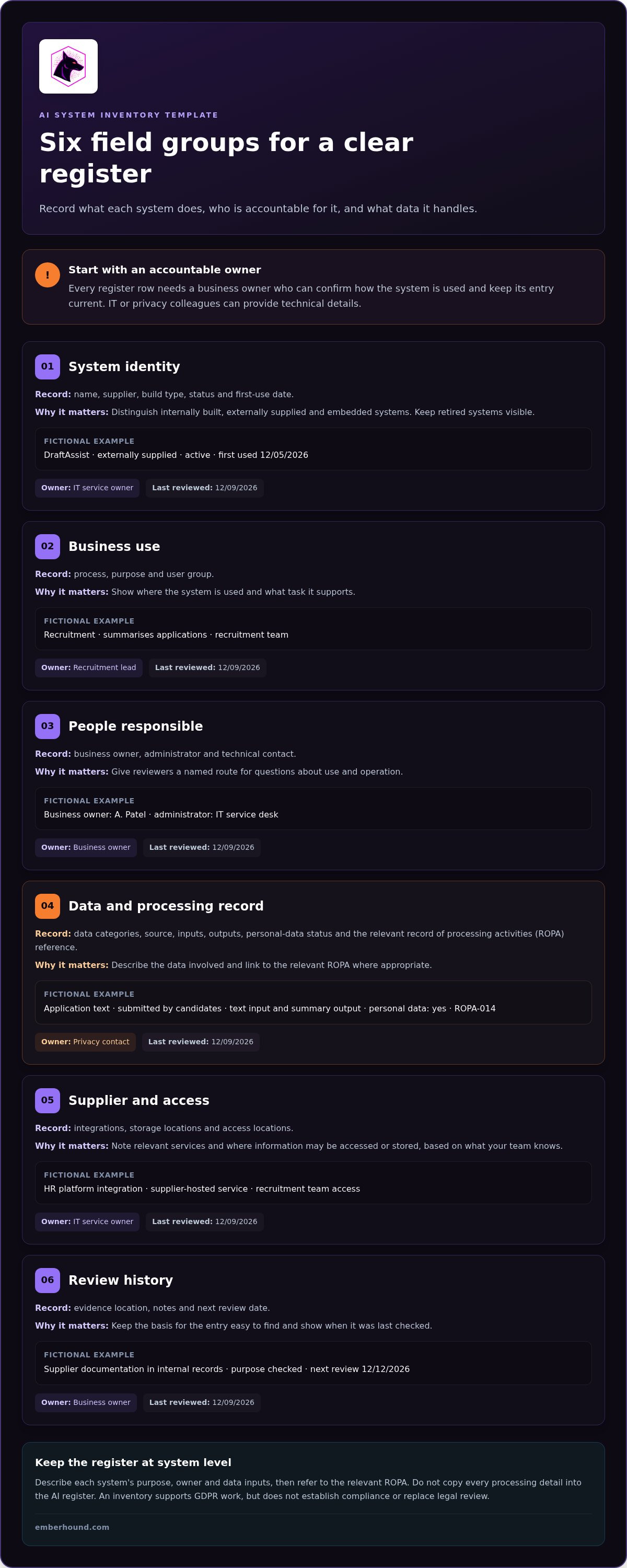
A useful register lets someone answer two questions quickly: what is this system used for, and who is responsible for its entry? This ai system inventory template groups practical recordkeeping fields by topic. Adapt the fields to your organisation, and use a consistent format for dates, names, and links to supporting records.
Every register row needs an accountable business owner who can confirm how the system is used. That owner may ask IT or privacy colleagues to supply technical details, but responsibility for keeping the entry current should be clear.
The examples below are fictional and do not describe an EmberHound customer. Treat the fields as practical suggestions, not a list of legal requirements.
| Field name | Purpose | Example entry | Owner | Last reviewed |
|---|---|---|---|---|
| System identity: name, supplier, build type, status, first-use date | Identify the tool and whether it is internally built, externally supplied, or embedded in another service. Keep retired systems visible. | Fictional: "DraftAssist"; externally supplied; active; first used 12/05/2026 | IT service owner | 12/09/2026 |
| Business use: process, purpose, user group | Show where the system is used and what task it supports. | Fictional: recruitment; summarises applications; recruitment team | Recruitment lead | 12/09/2026 |
| People responsible: business owner, administrator, technical contact | Give reviewers a named route for questions about use and operation. | Fictional: business owner, A. Patel; administrator, IT service desk | Business owner | 12/09/2026 |
| Data: categories, source, inputs, outputs, personal-data status, processing-record reference | Describe the data involved and link to the relevant record of processing activities where appropriate. | Fictional: application text; submitted by candidates; text input and summary output; personal data: yes; record: ROPA-014 | Privacy contact | 12/09/2026 |
| Supplier and access: integrations, storage or access locations | Record relevant services and where information may be accessed or stored, based on information available to your team. | Fictional: HR platform integration; supplier-hosted service; access by recruitment team | IT service owner | 12/09/2026 |
| Review history: evidence location, notes, next review date | Keep the basis for the entry easy to find and show when it was last checked. | Fictional: supplier documentation in internal records; purpose checked; next review 12/12/2026 | Business owner | 12/09/2026 |
Choose field values your team can maintain. If storage details are unclear, for example, record that they need follow-up and assign someone to resolve the gap. Do not present an assumption as a confirmed fact. The NIST AI Risk Management Framework provides voluntary guidance on managing AI risks and can inform governance work alongside your register.
Use endpoint data discovery to examine sensitive data locations linked to documented workflows. It can help check the data footprint behind an entry, while the inventory records declared AI use. To check a personal-data footprint, you can Start free GDPR scan.
Connect each AI system to personal data without duplicating your ROPA
An AI inventory and a record of processing activities (ROPA) answer different questions. The inventory tracks systems: what each one does, who uses it, and who owns the record. The ROPA documents processing activities involving personal data. Connect related records with a stable system ID and a ROPA reference instead of copying the full processing entry into the inventory.
For example, an AI system used to summarise support messages could have the register ID AI-006. Its inventory entry can point to the ROPA record that describes the relevant processing. If one system supports several distinct activities, link to each applicable record. A reviewer should be able to follow the relationship without maintaining the same detail in two places.
The European Parliament study on AI and GDPR provides background on the intersection of AI and data protection. Treat it as background material, not a current legal determination. The duties that apply depend on the facts of the processing. Check current UK GDPR requirements and relevant primary guidance, including guidance from the Information Commissioner's Office, before drawing legal conclusions.
Map the data journey for each recorded system
Follow information through the workflow. Record where data comes from, what users enter, what the system returns, which integrations pass information between services, and any known storage or access locations. Note whether personal data may appear in prompts, uploaded files, or generated outputs. A system can produce personal data in an output even when the prompt looks general.
Be specific about what the team knows. If storage locations or an integration's data flow are unclear, mark the field for investigation and assign someone to follow up. An explicit unknown is more useful than an assumption entered as fact.
Keep the AI register and ROPA connected
Give each system a stable identifier, then use it in related records, such as the ROPA entry or an assessment. Keep separate owners where responsibilities differ: an IT administrator may maintain system details, while a privacy or business owner maintains processing documentation. Record who is responsible for each item and how to find the linked records.
This approach keeps the ai system inventory template focused on systems while giving reviewers a route to processing details. For practical guidance on locating personal data, see the GDPR data discovery guide. Data discovery can help examine data locations associated with a documented workflow. It does not create the register or identify AI systems.
How to populate, review, and maintain the AI system inventory
A register stays useful when someone owns each entry and updates it as the facts change. Use the ai system inventory template as a working record, not a one-off data-gathering exercise. Start with what your organisation already knows, then ask the people closest to each system to confirm the details.
Build an inventory from existing business records
Begin with procurement records, IT asset lists, security documentation, and team records. These can point you towards systems already in use, including tools bought by individual departments and AI features built into other services.
For each potential entry, ask the relevant team or system owner to confirm its purpose, users, supplier, integrations, and data categories. Then map the data flows and link any relevant processing record. Keep the work practical:
- Appoint an owner: name one person accountable for the entry's accuracy.
- Gather details: confirm how the system is used and who relies on it.
- Map data: document known inputs, outputs, integrations, and locations.
- Review and record: note who checked the entry, when they checked it, and what changed.
If a detail is unknown, label it as unknown or under investigation. Assign someone to resolve it and record the next action. A blank or uncertain field is a prompt to follow up, not a reason to guess.
Set review triggers and ownership
Review a register entry when its system or data flow changes. Trigger a check when a system is added, retired, or materially changed, or when its purpose, supplier, integration, or data flows change. Record what changed, who approved or confirmed the update, and the review date.
Use a simple status field with clear meanings:
- Confirmed: the owner has checked the recorded details.
- Under review: a detail needs investigation or confirmation.
- Retired: the system is no longer in use, but its record remains for reference.
Name one accountable record owner, then identify contributors from IT, privacy, and the business team using the system. Set routine review intervals according to your internal policy and the type of system. There is no single interval that should be assumed to apply to every organisation. Record the chosen interval and review entries sooner when a trigger occurs.
Keep the process lean. A clear owner, a defined status, and a recorded change give the next reviewer a direct route to the current facts.
Use data discovery to check the personal-data footprint behind AI records
An AI inventory records declared use: which systems teams say they use, what they use them for, and who owns each entry. Data discovery examines sensitive data locations on endpoints. Together, they let a team compare documented AI workflows with the data footprint it can find.
EmberHound Discover does not identify AI systems or create an AI inventory. It can help examine sensitive data locations linked to workflows already recorded in your register. The ai system inventory template tells you which system and process to investigate. Endpoint findings give you evidence to compare with that record.
What endpoint data discovery can add
Scanning is performed locally on the endpoint, and files are not exfiltrated. TLS 1.3 protects data in transit, and AES-256 protects data at rest. Masked previews and salted SHA-256 fingerprints support evidence review without showing raw file content.
For example, if a team records an AI tool used to summarise meeting notes, reviewers can compare the documented workflow with sensitive data locations found on relevant endpoints. A finding can prompt a closer check of whether that data relates to the recorded AI use. Discovery provides evidence about data locations. It does not establish the relationship by itself.
Turn findings into inventory updates
Compare findings with the system owner's recorded inputs, outputs, integrations, and known locations. If a location is missing from the entry, ask the owner to establish whether it is connected to the workflow. Record the result, the evidence reviewed, and any follow-up action. Keep an unclear relationship marked for investigation until someone can confirm it.
Assign each follow-up to a named person. They can check the workflow with the system owner, then update the inventory and any linked processing record if the facts warrant a change. This keeps the register grounded in reviewed information rather than assumptions.
Use data discovery to check documented workflows alongside the register and your wider privacy review. It can help your team examine where sensitive data sits on endpoints. The next step is to check the personal-data footprint with a GDPR scan.
Keep your AI register useful as systems change
A useful ai system inventory template gives each system a clear purpose, a named owner, and a link to the personal-data processing records that apply. Keep system details in the inventory and use references to connect them to your ROPA. This gives reviewers a route from an AI tool to the processing information without maintaining duplicate records.
Make the register part of routine change management. Review entries when a system, supplier, purpose, integration, or data flow changes. Record uncertainties and assign someone to resolve them. Data discovery can help check sensitive data locations linked to documented workflows, while the register remains your record of declared AI use.
EmberHound Discover processes scans locally on endpoints, with no file exfiltration. Masked previews and salted SHA-256 fingerprints support evidence review without exposing raw file content. TLS 1.3 protects data in transit, and AES-256 protects data at rest.
Start with a clearer view of the personal-data footprint behind your documented workflows. Keep the register owned, current, and ready for review.
Frequently Asked Questions
What should an AI system inventory template include?
An AI system inventory template should record each system's name, supplier, purpose, business process, user group, and accountable owner. Add system status, first-use and review dates, data inputs and outputs, relevant integrations, and known data locations. Note whether personal data may be involved and link to the related processing record where appropriate. Treat these as practical fields for organising review, not a checklist that proves legal compliance.
Is an AI system inventory the same as a ROPA?
No. An AI system inventory tracks systems, their uses, and their owners. A record of processing activities, or ROPA, documents processing activities involving personal data. Link related records with a stable system identifier and a reference to the relevant ROPA entry. This lets reviewers follow the connection without duplicating processing details in the AI register. One system may relate to more than one processing activity.
How do I create an AI system inventory?
Start by setting a consistent rule for which AI systems and embedded features to include. Gather possible entries from procurement, IT asset, and team records, then ask each system owner to confirm the purpose, users, supplier, and data flows. Assign an accountable owner to each entry. Record unknowns for follow-up, link relevant processing records, and set a process for recording changes and reviews.
Does an AI inventory help with GDPR compliance?
An AI inventory can support GDPR work by showing which systems teams use, who can answer questions about them, and where personal data may be involved. It can help direct a privacy review to relevant processing records. The inventory does not establish GDPR compliance or make legal conclusions by itself. Assess applicable duties against the facts of the processing and current primary guidance.
How often should an AI system inventory be reviewed?
Review an entry when its system or data flow changes. Triggers can include a new or retired system, a changed purpose, a new supplier or integration, or a different input or output. Set routine review intervals under your organisation's internal policy. A single timetable may not suit every system. Record the review date, the person who checked the entry, and any follow-up action.
How can we find out what personal data is connected to an AI system?
Map the documented workflow, including sources, prompts, uploaded files, outputs, integrations, and known storage locations. Ask the system owner to confirm where personal data may appear. Endpoint data discovery can help examine sensitive data locations associated with that workflow. EmberHound Discover processes scans locally on endpoints, with no file exfiltration. It supports data-footprint checks, but it does not identify AI systems or create the inventory.
Can a spreadsheet work as an AI system inventory?
Yes. A spreadsheet can work if teams can find the current register, update entries consistently, and identify each record's owner. Use stable system identifiers, clear status values, review dates, and links to related processing records. Set suitable access and version controls so changes can be traced and outdated copies do not become competing records. If the register becomes hard to maintain, review the format and ownership process.


